Something just shifted in the AI video landscape, and it happened quietly on CapCut Web.
On March 25, 2026, CapCut officially announced Video Studio — a completely new way to produce videos that throws out the traditional editing timeline and replaces it with an unlimited, canvas-based AI production workspace. And it's powered by Dreamina Seedance 2.0, one of the most capable generative video models available right now.
Let's break down what this actually is, why it matters, and who should be paying attention.
What Is CapCut Video Studio?
At its core, Video Studio is a browser-based creative environment that lives on CapCut Web. But calling it a "video editor" undersells it by a mile.
Traditional video editing tools — even CapCut's own desktop and mobile editors — revolve around a timeline. You drag clips onto a track, trim them, stack layers, and export. Video Studio eliminates that paradigm entirely.
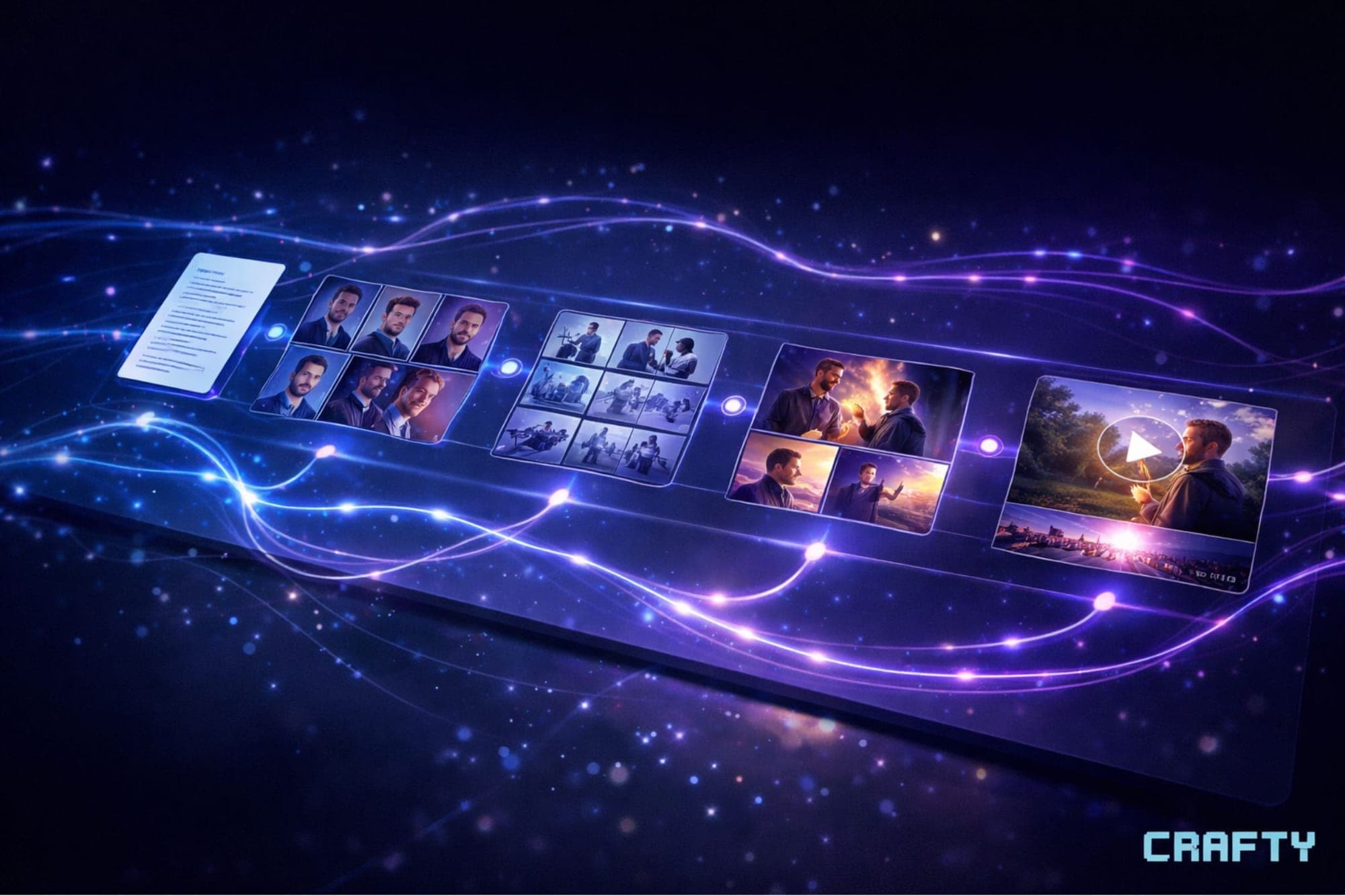
Instead, you work on an unlimited canvas. Think of it less like Premiere Pro and more like an infinite whiteboard where every stage of video production — from the first idea to the final export — happens in one connected space.
Here's the workflow CapCut is pitching:
1. Ideation — An integrated AI agent helps you brainstorm, write, and structure your story from scratch.
2. Character Building — Design and lock in consistent characters that persist across scenes.
3. Storyboarding — A built-in storyboard feature lets you visually map out your plot before generating anything.
4. Scene Generation — This is where Dreamina Seedance 2.0 comes in. Industry-leading image and video generation models with what CapCut calls "omni reference" — meaning the AI can reference your characters, style guides, and previous scenes to maintain consistency.
5. Detail Polishing — Refine individual frames, adjust compositions, and tweak generated outputs.
6. Editing & Exporting — A full editing toolkit is baked in so you never have to leave the workspace.
Every single step happens on one canvas. No switching apps. No exporting from one tool and importing into another. That's the pitch.
Dreamina Seedance 2.0 — The Engine Under the Hood
The real headline here might be the model powering all of this. Dreamina Seedance 2.0 is the generative AI backbone that handles image and video generation inside Video Studio.
For those unfamiliar, Dreamina is the AI creative suite developed by ByteDance (CapCut's parent company). Seedance is their video generation model, and version 2.0 represents a significant leap in quality, consistency, and controllability.
The "omni reference" capability is particularly noteworthy. One of the biggest pain points in AI video generation has been consistency — getting the same character to look the same across multiple generated clips. Omni reference appears to be CapCut's answer to that problem, allowing creators to feed reference images, style sheets, and character designs into the generation pipeline so outputs stay coherent across an entire project.
This positions Seedance 2.0 directly against models like Runway Gen-3, Pika 2.0, Kling, and Sora — but with a key differentiator: it's integrated directly into a full production environment rather than existing as a standalone generation tool.
Who Is This For?
CapCut says Video Studio is "built for creators at every level," and the use cases they're highlighting are broad:
- Short films
- Drama series
- Animations
- Explainer videos
- Ads and commercial content
But let's be real about who's going to benefit most in the near term:
Solo creators and small teams who want to produce narrative video content but don't have the budget for traditional production workflows. If you're a one-person operation trying to create a short film, an animated explainer, or a serialized content series, having ideation, storyboarding, AI generation, and editing in a single workspace is a genuine productivity multiplier.
Marketers and ad creators who need to produce video content at scale. The AI agent handling scripting and structure, combined with fast scene generation, could dramatically compress the time from concept to finished ad.
AI video experimenters who have been bouncing between multiple tools — using ChatGPT for scripts, Midjourney for character design, Runway for video generation, and CapCut or DaVinci for editing. Video Studio consolidates that entire chain.
The Regional Rollout — Important Caveat
Here's a detail you need to know before you get too excited: Dreamina Seedance 2.0 is currently only available to users in Southeast Asia (SEA), Middle East & North Africa (MENA), Latin America (LATAM), and Africa.
CapCut says more regions are "coming soon," but there's no confirmed timeline for availability in North America, Europe, or other major markets. The Video Studio workspace itself appears to be accessible on CapCut Web globally, but the full AI generation capabilities are gated by region for now.
This is a pattern we've seen with ByteDance products before — phased regional rollouts that expand over weeks or months. If you're outside the initial regions, keep checking CapCut Web. The expansion will likely come faster than you'd expect given the competitive pressure in the AI video space.
Free Credits to Start
CapCut is offering free credits to new users who access Video Studio through CapCut Web. The exact credit amount and what they cover (image generation, video generation, AI agent usage, etc.) aren't specified in the announcement, but the barrier to entry is essentially zero if you want to test it out.
You can access it at capcut.com — look for the Video Studio option in the web editor.
Why This Matters Beyond CapCut
Let's zoom out for a second.
The AI video generation space has been fragmenting. You've got dedicated generation tools (Runway, Pika, Kling, Sora), general-purpose AI platforms adding video (Adobe Firefly, Canva), and editing tools bolting on AI features. The user experience has been janky — a lot of copy-pasting between tabs, downloading and re-uploading, and manually trying to maintain consistency across tools.
What CapCut is doing with Video Studio is attempting to collapse the entire AI video production pipeline into a single workspace. That's not a small move. If the execution matches the vision, it fundamentally changes the competitive landscape because the value proposition shifts from "best generation model" to "best end-to-end workflow."
And CapCut has a massive distribution advantage. It's already one of the most-used video editing tools on the planet, particularly among younger creators. Adding a canvas-based AI production workspace to that ecosystem gives them a pathway to convert casual editors into full-blown AI filmmakers without requiring them to learn new tools.
The Bottom Line
CapCut Video Studio is one of the most ambitious AI video product launches we've seen in 2026. The timeline-free canvas approach is a genuine UX innovation, Seedance 2.0 appears to be a top-tier generative model, and the integrated workflow from ideation to export addresses real pain points that creators deal with every day.
The regional limitation on Seedance 2.0 is the biggest asterisk right now. But if you're in a supported region — or you want to explore the workspace ahead of broader model availability — head to CapCut Web and claim your free credits.
The AI filmmaking era isn't coming. It's rendering right now.
This is an informational piece covering a new product release. I am not affiliated with CapCut or ByteDance (yet).