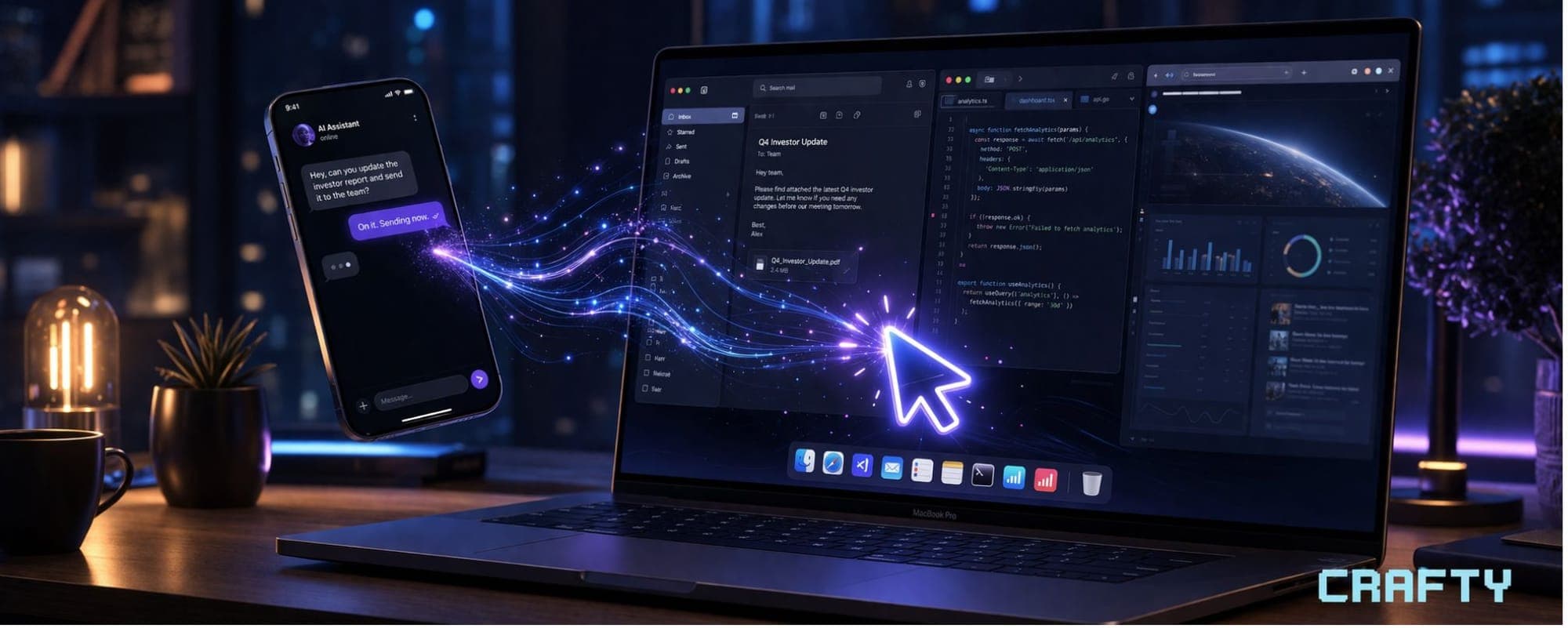
Claude can now literally use your computer. Point. Click. Navigate. Open files. Run dev tools. Browse the web. All of it — autonomously.
Let me break down everything that just launched, what it means, and why you should care.
What Actually Launched
Two major features are now live for Claude Pro and Max subscribers:
Computer Use — Claude can now directly control your mouse, keyboard, browser, and screen to complete tasks. When Claude doesn't have a direct integration or connector for something, it doesn't just stop and tell you it can't help. Instead, it takes over your screen and does the work itself. It scrolls, clicks, opens applications, navigates menus — basically everything you'd do manually.
Dispatch — This feature lets you assign tasks to Claude from your phone. You fire off a task while you're on the train, at the gym, grabbing coffee — wherever. Claude picks it up on your desktop, does the work, and you come back to finished results. One continuous conversation across your phone and your computer.
These two features together? That's where things get really interesting.
How Computer Use Actually Works
Claude follows a smart hierarchy when completing tasks. It reaches for the most precise tool first — so if there's a direct connector to something like Slack, Google Calendar, or another integrated service, it uses that. Clean and fast.
But when there's no connector available? That's when Claude goes into full autonomous-agent mode. It takes control of your browser, moves your mouse, types on your keyboard, and navigates your screen exactly like a human would. It scrolls through pages, clicks buttons, explores menus — whatever the task requires.
The key thing here: Claude always asks for your explicit permission before accessing new applications. You're in control. You can stop it at any point. And some apps are blocked by default as an extra safety layer.
Anthropic also built in automatic scanning that monitors model activations to detect threats such as prompt injection in real time. They're being cautious here, which is the right call.
Dispatch — Your AI That Works While You Sleep
Dispatch is the feature that makes computer use truly powerful. Here's the workflow:
1. You pick up your phone and tell Claude what you need done
2. You put your phone away and go about your day
3. Claude fires up on your desktop and gets to work
4. You come back to completed work
The use cases Anthropic highlighted are solid:
- Morning briefings — Claude checks your emails, pulls relevant info, and has a briefing ready before you sit down at your desk
- Automated metrics — Tell Claude to pull specific data every week on a schedule
- Development workflows — Claude can make changes in your IDE, run tests, and put up a pull request
- Project management — Keep ongoing projects moving according to your plan while you focus on other things
You're essentially assigning work to a digital employee that operates on your computer using your tools.
What You Need to Know Before Jumping In
Let me keep it real with you — this is a research preview, not a finished product. Anthropic is being transparent about the limitations:
- Complex tasks might need a second try. Computer use through a screen is inherently slower and less reliable than direct integrations.
- macOS only for now. Windows and Linux users will have to wait.
- Your desktop needs to be awake and running. Claude can't work on a sleeping machine.
- Sensitive data caution. Anthropic recommends starting with apps you trust and avoiding sensitive information while the feature matures.
- It's slower than native integrations. Navigating through a screen will never be as fast as a direct API connection.
To get started, you need a Claude Pro or Max subscription, the desktop app with the feature enabled in settings, and optionally the mobile app paired for Dispatch.
Why This Matters Beyond the Hype
Here's what most people are going to miss about this announcement.
This isn't just a cool demo feature. This is the foundation for true AI agents — not chatbots that talk about doing things, but agents that actually DO things on real computers with real applications.
Every trader running analysis tools, every researcher pulling data across platforms, every developer managing multiple environments — the workflow implications are massive. The gap between "AI assistant" and "AI coworker" just got a lot smaller.
And for the crypto and trading community specifically? Imagine Claude monitoring your dashboards, pulling on-chain data across multiple tabs, compiling research from different sources, and having a summary waiting for you every morning. We're not far from that being a daily reality.
The Bottom Line
Anthropic shipped something genuinely significant here. Computer Use plus Dispatch equals an AI that doesn't just answer questions — it operates your computer and completes real work while you're away.
Is it perfect? No. It's early. It's macOS only. Complex tasks can trip it up.
But the trajectory is clear. AI agents that use your actual tools on your actual computer are here. Not as a concept. Not as a demo. As a shipping product you can use today.
If you're on Claude Pro or Max, go enable it in your desktop settings and start experimenting. Start small, build trust in the system, and scale up from there.
The future of work just got a major update — and most people haven't even noticed yet.
Stay sharp out there.
Follow Crafty on X 👉🏼 x.com/9bitCrafty